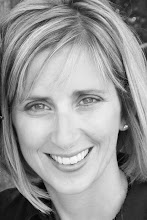
As you know we are in between houses living at our cottage. One of the biggest blessings is that in our old house I had all my albums in my workshop space in the basement. Well here at the cottage there is no workshop space so my albums are in our main living area. Guess what has happened? We are looking at them. The kids will pull them out and spend time laughing and enjoying our memories. Troy and I even sat down and looked at our 2009 picfolio album (which by the way is done...got to love the picfolio!)
Last night I found Megan in her bed with her photo album.
She was reading what I had written. She showed me a page and said,
"Mom that made me cry when I read that!"
It was about her heart and how she is so generous.
It made me realize how important our words are.
Remember next time you are working on your albums that your words are such a gift.
Happy Scrapbooking- Sally
Friday, January 15, 2010
Lots of training in small bits!
Here is a great spot to find some training that will only take a few minutes of your time.
From editing a photo to doing a text path this is the spot for you.
Click Here for Memory Manager Training
Click Here for Storybook Training
From editing a photo to doing a text path this is the spot for you.
Click Here for Memory Manager Training
Click Here for Storybook Training
Cute page using the new Send the Love digital kit!
Saturday, January 2, 2010
2 weeks until the BEST event of the year!!
The overnight crop helps kick our year off with a bang. I am really looking foward to hosting all of you. But lets start planning now to make the most of our time together!
Here are some fun training links to help you get ready!
A 5 minute video on Digital Solutions: Click Here (Great for those just checking it out!)
StoryBook Plus
"Storybook 1.0 and 2.0" Great for Beginners (1 hour)
Lots of Storybook Topics (minutes each) Click Here
"Storybook 3.0" is a more advanced webinar showing the advanced features!
Here are some fun training links to help you get ready!
A 5 minute video on Digital Solutions: Click Here (Great for those just checking it out!)
StoryBook Plus
"Storybook 1.0 and 2.0" Great for Beginners (1 hour)
Lots of Storybook Topics (minutes each) Click Here
"Storybook 3.0" is a more advanced webinar showing the advanced features!
Memory Manager
The "Overview" good place to start (30minutes)
"Got Photos" (1 hour)
Lots of Memory Manager Topics (minutes each) Click Here
This is a great page using the rubber stamping feature!
Stretch your paper capabilities
This webinar is Tidbits from Tameka and was posted on FB by Susan Lee Thoenes. She changes the black and white papers by using the filters ribbon and then uses the color wash to adjust further. Great webinar Tameka, thanks for sharing.
Tidbits from Tameka link
Fun with filters, color wash, glow and more new features
Join this webinar to learn more about the fun you can have using StoryBook Creator Plus 3.0. Kathie will teach you more about filters, color wash, glow (I love this one) and more about what is available. She also gives you great ideas to use these tools. Thanks Kathie for a great webinar!
Fun with Filters and more link
Content Manager & Keywords
Learn how to organize your content manager and create keywords for searching. When you organize your content, do this the way your brain thinks. There is not right way or wrong way to organize. Just think how you will best find them down the road. Here are a few suggestions:
Seasons
Package type (discover, earthy, jewel, etc)
Pre-designed
Digital kits
Power Palettes Digital Additions
These are the categories I have used:
Digital Embellishments
Digital Overlays
Commercial
Free Downloads Themes
Pre-designed pages
Word Expressions
My Stuff
Content Manager & Keywords webinar link
This webinar is about 30 minutes long.
Thanks to Cathie Owens for this webinar
Seasons
Package type (discover, earthy, jewel, etc)
Pre-designed
Digital kits
Power Palettes Digital Additions
These are the categories I have used:
Digital Embellishments
Digital Overlays
Commercial
Free Downloads Themes
Pre-designed pages
Word Expressions
My Stuff
Content Manager & Keywords webinar link
This webinar is about 30 minutes long.
Thanks to Cathie Owens for this webinar
Calendar Webinar to View
This webinar is by Shelley Alexander from Australia (she has the neatest accent, I love it!) She takes you step by step in creating a 12” x 18” calendar. Enjoy and have fun making your own calendars. Use the Digital Photo Center link that is on your consultants website to get the calendars printed. I personally have created my calendars and they look great.
12 x 18 Calendar webinar link
Subscribe to:
Comments (Atom)